tnr_ecma_freq#
- tnr_ecma_freq(spectrum, freqs, prominence=True)[source]#
Computes the tone-to-noise ratio value from a fine-band spectrum
This function computes the tone-to-noise ratio according to ECMA 418-1 from a sound spectrum.
- Parameters:
spectrum (array_like) – Amplitude or complex frequency spectrum, dim(nperseg x nseg).
freqs (array_like) – Frequency axis dim(nperseg x nseg) or ([)nperseg).
prominence (Bool) – If True, the algorithm only returns the prominent tones, if False it returns all tones detected. Default to True
- Returns:
t_tnr (float) – Global TNR value.
tnr (array of float) – TNR values for each detected tone.
promi (array of bool) – Prominence criterion for each detected tone.
tones_freqs (array of float) – Frequency of the detected tones.
See also
pr_ecma_freqPR computation for a sound spectrum
tnr_ecma_stTNR for a stationary signal
tnr_ecma_persegTNR computation for a non-stationary signal
Notes
The computation is based on a spectrum analysis detecting peaks to be compared with the overall smoothed spectrum. The algorithm automatically detects the frequency of the tonal components according to Sottek’s method.
\[\Delta L_{TNR} = L_{peak} - 10\log_{10}\left (10^{0.1L_{peakband}} -10^{0.1L_{peak}}\right )\]\[\Delta L_{PR} = 10\log_{10}\left ( 10^{0.1L_{peakband}} \right ) - 10\log_{10}\left [0.5\left (10^{0.1L_{lowerband}} -10^{0.1L_{upperband}}\right )\right]\]The difference between PR and TNR lies in the comparison process between the peak level and the background noise amplitude. TNR compares the peak level to the level of its critical band, while PR compares the level of the peak’s critical band to its two neighbor bands. According to ECMA 418-1 standard, TNR can then prove to be more accurate for multiple tones in adjacent critical bands, for example when strong harmonics exist. PR can be more effective for multiple tones within the same critical band and is more readily automated to handle such cases.
Along with the TNR/PR value comes a prominence indicator, a tone being considered as prominent if its dB level is sufficiently higher than the smoothed spectrum, depending on its frequency.
References
[1]ECMA.418-2:2022. Psychoacoustic metrics for ITT equipment — Part 2 (models based on human perception). European Computer Manufacturers Association, 2022. URL: https://www.ecma-international.org/wp-content/uploads/ECMA-418-2_2nd_edition_december_2022.pdf?trk=organization_guest_main-feed-card_reshare-text.
Examples
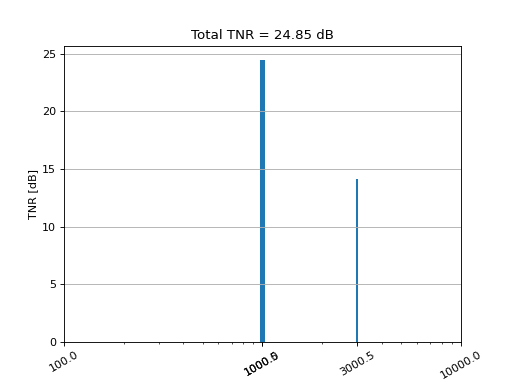
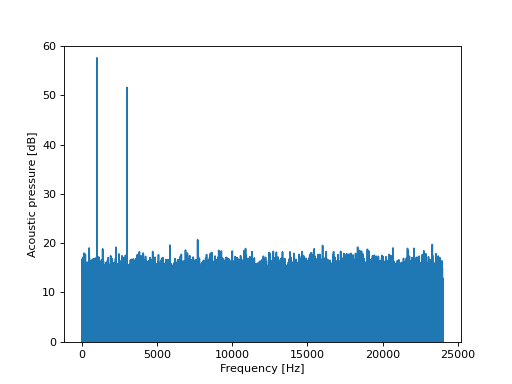
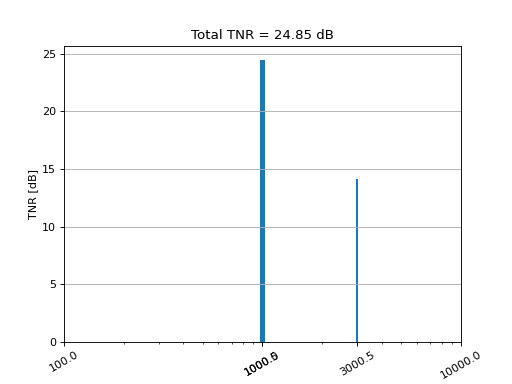
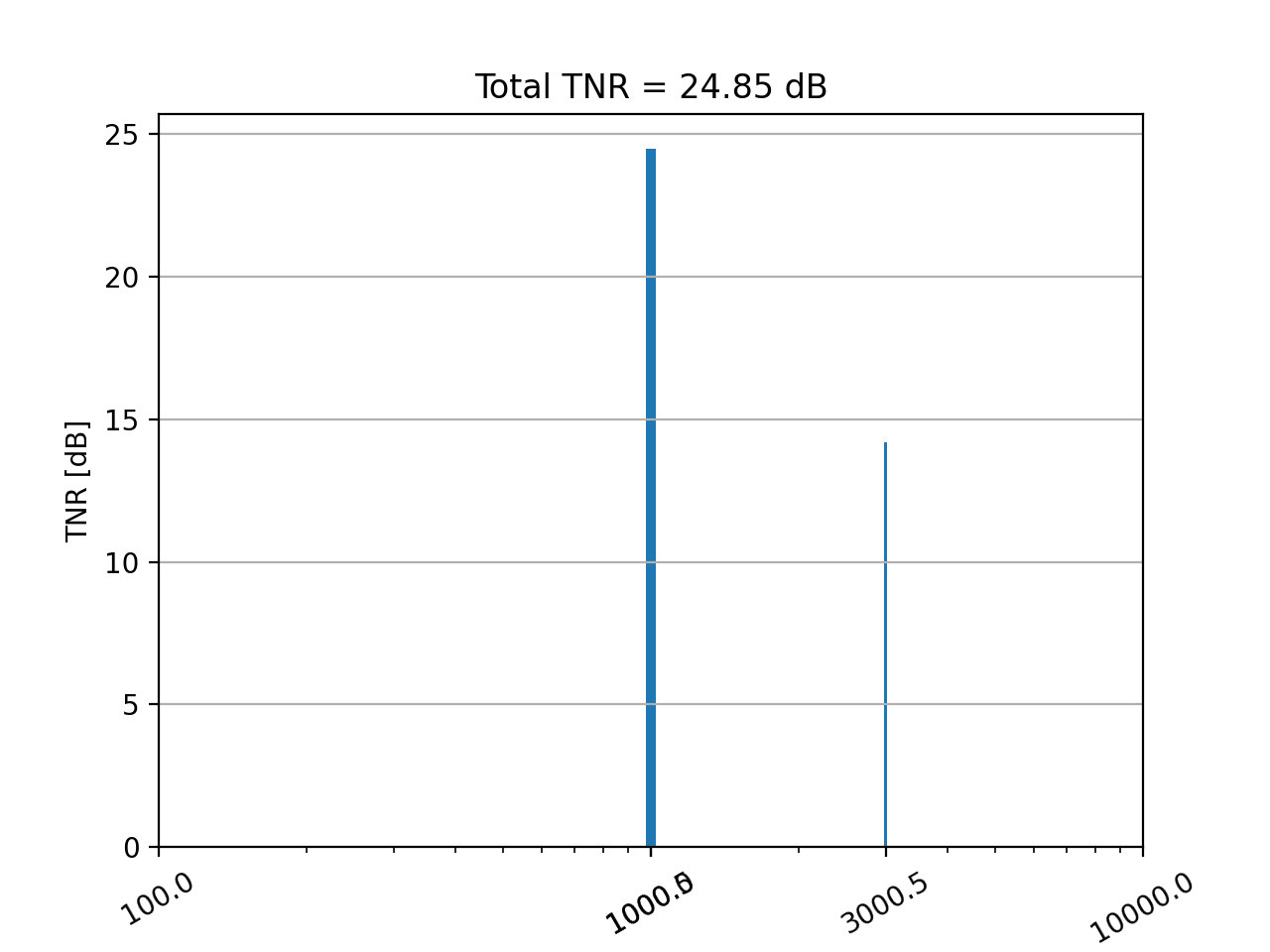
The example stimulus is made of white noise + 2 sine waves at 1kHz and 3kHz.
>>> import numpy as np
>>> import matplotlib.pyplot as plt
>>> from mosqito.sound_level_meter import comp_spectrum
>>> fs = 48000
>>> d = 2
>>> f = 1000
>>> dB = 60
>>> time = np.arange(0, d, 1/fs)
>>> stimulus = np.sin(2 * np.pi * f * time) + 0.5 * np.sin(2 * np.pi * 3 * f * time)+ np.random.normal(0,0.5, len(time))
>>> rms = np.sqrt(np.mean(np.power(stimulus, 2)))
>>> ampl = 0.00002 * np.power(10, dB / 20) / rms
>>> stimulus = stimulus * ampl
>>> spectrum_db, freq_axis = comp_spectrum(stimulus, fs, db=True)
>>> plt.plot(freq_axis, spectrum_db)
>>> plt.ylim(0,60)
>>> plt.xlabel("Frequency [Hz]")
>>> plt.ylabel("Acoustic pressure [dB]")
(
Source code,png,hires.png,pdf)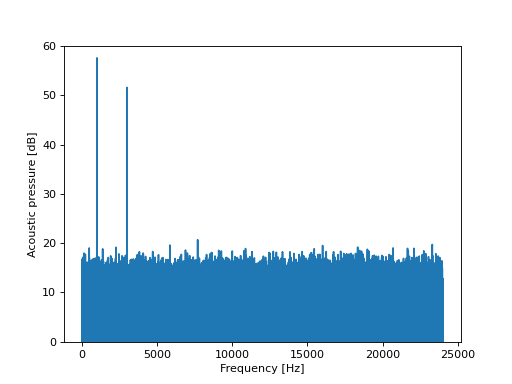
>>> import numpy as np
>>> import matplotlib.pyplot as plt
>>> from mosqito.sq_metrics import tnr_ecma_freq
>>> from mosqito.sound_level_meter import comp_spectrum
>>> fs = 48000
>>> d = 2
>>> f = 1000
>>> dB = 60
>>> time = np.arange(0, d, 1/fs)
>>> stimulus = np.sin(2 * np.pi * f * time) + 0.5 * np.sin(2 * np.pi * 3 * f * time)+ np.random.normal(0,0.5, len(time))
>>> rms = np.sqrt(np.mean(np.power(stimulus, 2)))
>>> ampl = 0.00002 * np.power(10, dB / 20) / rms
>>> stimulus = stimulus * ampl
>>> spec, freq_axis = comp_spectrum(stimulus, fs, db=False)
>>> t_tnr, tnr, prom, tones_freqs = tnr_ecma_freq(spec.T, freq_axis.T)
>>> plt.bar(tones_freqs, tnr, width=50)
>>> plt.grid(axis='y')
>>> plt.ylabel("TNR [dB]")
>>> plt.title("Total TNR = "+ f"{t_tnr[0]:.2f}" + " dB")
>>> plt.xscale('log')
>>> xticks_pos = list(tones_freqs) + [100,1000,10000]
>>> xticks_pos = np.sort(xticks_pos)
>>> xticks_label = [str(elem) for elem in xticks_pos]
>>> plt.xticks(xticks_pos, labels=xticks_label, rotation = 30)
>>> plt.xlabel("Frequency [Hz]")
(
Source code,png,hires.png,pdf)